Now, after waiting months since the last Jailbreak is restricted and it was version 5.1.1, announced today the release of the tool Evasi0n which made available Jailbreak has unrestricted system iOS 6.
IMPORTANT NOTE:
Jailbreak new works on devices that bear version iOS 6 and iOS 6.01 and iOS 6.1 (and if you encounter problems preferably doing restore in iTunes using the system files and you can get your file system from this link) - (if your computer does not support the upgrade to iOS 6 and above if this jailbreak is not supported)
1- Load tool Evasi0n (there is a lot of pressure on the server and you may not be able to download the tool today)
2- Unzip the zip file that contains the program Evasi0n.
3- Check to make sure that your computer is no passwords, and if there is password should delete it.
4- Connect your device to your computer by a USB.
5- Take a backup copy of the operating system through iTunes or iCloud then close iTunes.
6- Open tool Evasi0n and of course make sure that your computer is connected to the computer and still Closed iTunes, click on Jailbreak and then wait.
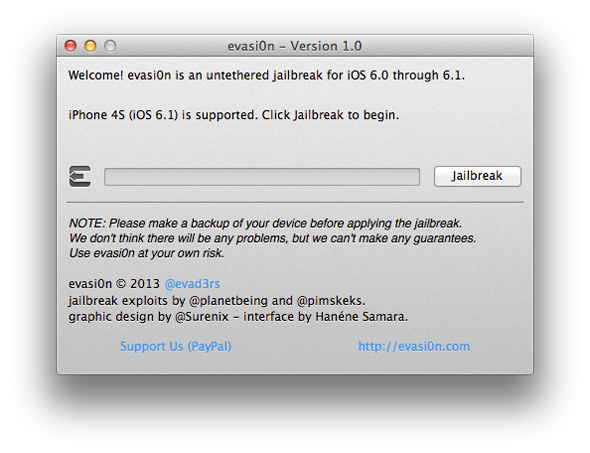
7- the device will be Restart and work more than once, and then evasi0n will ask you open the device and click on the icon that appears on the screen as follows:
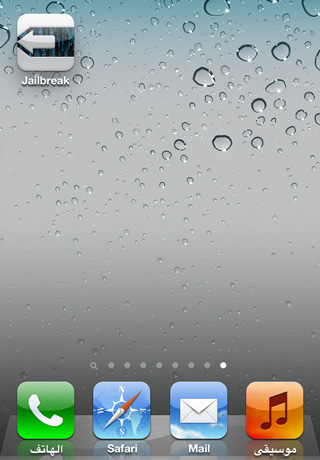
8- Congratulations have become Jailbreak your device, you will find Cydia application installed on your iPhone.
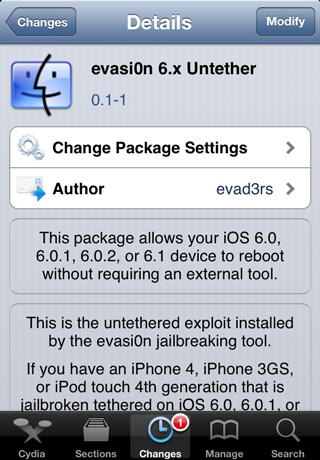
If you jailbreak users unrestricted on the iPhone 4 or 3GS, you can download the following tool from the Cydia jailbreak becomes the device is not restricted :
Watch a video explaining jailbreak:

No comments:
Post a Comment